MōBrowser 2.9.0
We’re happy to announce MōBrowser 2.9.0. This release introduces multiple browser views support, system settings API, window background transparency on Linux, and GitHub CI/CD workflow.
What’s new
Multiple views support
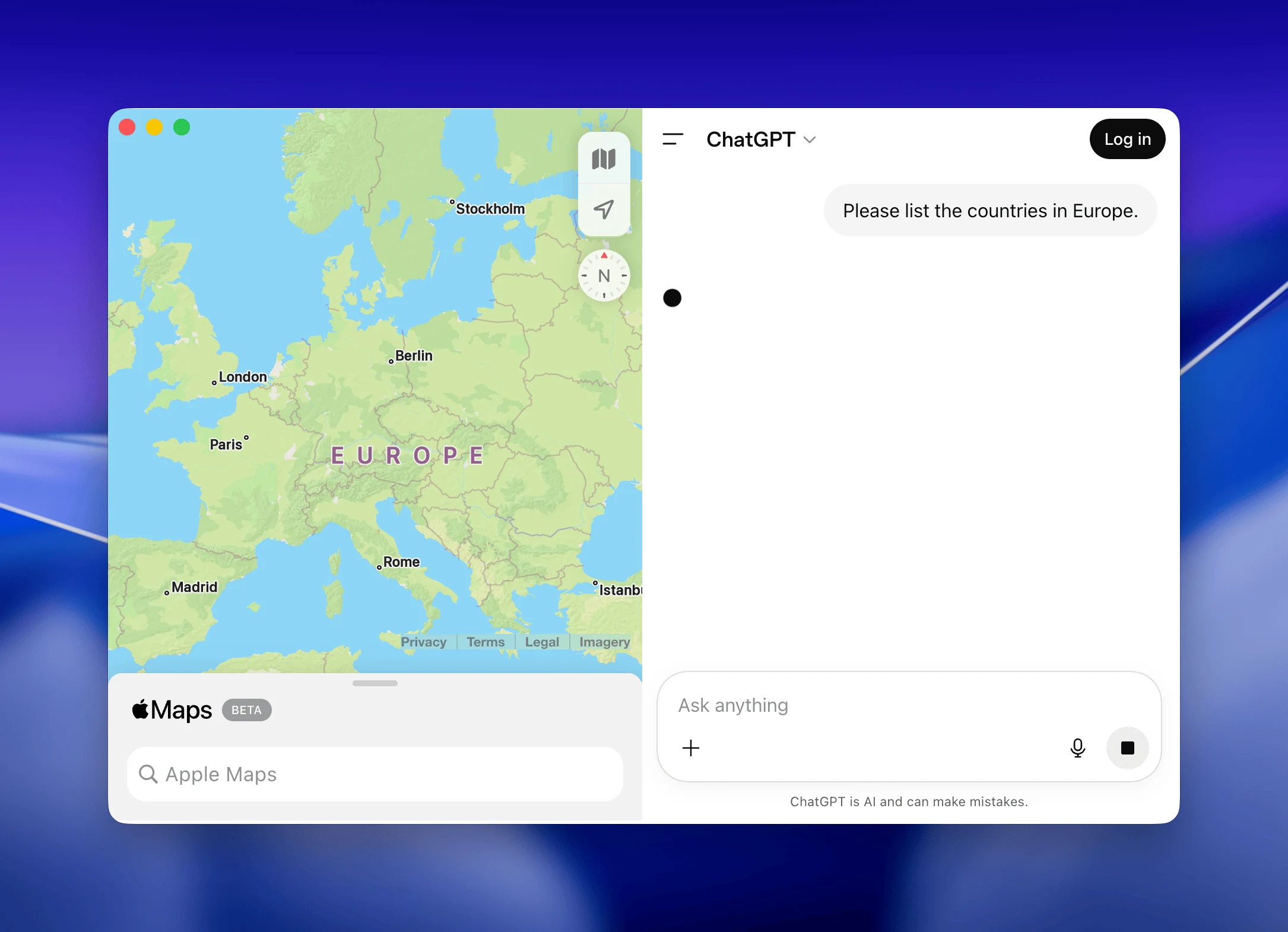
You can now embed multiple browser views into a single window. This is useful when you need to display different content in different parts of the window.
The following example shows how to create a window with two browser views:
import { BaseWindow, View, BrowserView } from '@mobrowser/api';

const browserViewOne = new BrowserView({
  url: 'https://maps.apple.com/'
})

const browserViewTwo = new BrowserView({
  url: 'https://chatgpt.com/'
})

const contentView = new View()
contentView.addChildView(browserViewOne)
contentView.addChildView(browserViewTwo)

browserViewOne.setBounds({
  origin: { x: 0, y: 0 },
  size: { width: 450, height: 600 }
})
browserViewTwo.setBounds({
  origin: { x: 450, y: 0 },
  size: { width: 450, height: 600 }
})

const win = new BaseWindow({
  size: { width: 900, height: 600 },
  windowTitleVisible: false,
  windowTitlebarVisible: false
})
win.contentView.addChildView(contentView)
win.show()
Here’s a screenshot of the resulting window:
System Settings
Using the new SystemSettings API you can now read the system settings such as the appearance, accent color, and language code.
import { systemSettings } from '@mobrowser/api';

console.log(systemSettings.appearance)
console.log(systemSettings.accentColor)
console.log(systemSettings.languageCode)
You can also listen for changes in the system settings using the following event:
systemSettings.on('effectiveAppearanceChanged', (appearance) => {
  console.log('Appearance changed:', appearance)
})
systemSettings.on('accentColorChanged', (accentColor) => {
  console.log('Accent color changed:', accentColor)
})
Window background transparency on Linux
You can now make the window background fully transparent and display only the content of the loaded web page on Linux.
import { BrowserWindow } from '@mobrowser/api';

const win = new BrowserWindow()
win.setTransparentBackground(true)
win.show()
GitHub CI/CD workflow
The create-mobrowser-app project scaffolding tool now prompts to enable GitHub release workflow in the generated project. The workflow builds signed release artifacts for macOS, Windows, Linux and drafts a GitHub Release with all three platform packages attached.
It’s a great way to quickly setup a CI/CD pipeline for your MōBrowser application in GitHub.
Fixes and improvements
- Print more detailed error message when notarization fails on macOS.
- Fixed corrupted app icon on Windows in the project templates.
- Fixed development builds failing on the second run when bundle
extraswere copied into paths left from a previous build.