MōBrowser 2.4.0
We’re happy to announce the release of MōBrowser 2.4.0! This release introduces the Image API for working with images across the application, extends app preferences with support for objects and arrays, adds a Dock menu API on macOS, and enables Web Workers support.
What’s new
Image API
The Image API provides a unified way to load, transform, and export images used for icons and other visual elements across the application. It includes the following features:
- Loading images from local files (PNG, JPEG), data URLs, raw RGBA buffers, and bitmap data.
- Loading named system images and SF Symbols on macOS via
Image.fromNamedImage. - Multi-scale (Retina) image support via
addScaleVariant. - Image resizing and cropping.
- Exporting pixel data as raw RGBA (
asBitmap) or a data URL (asDataURL). - Creating a file thumbnail via
Image.thumbnailFromPath. - Template image support menu bar icons on macOS.
- Using the
Imageas an argument inTray.setImageandNotification.icon.
Here’s an example of how to create an image from a local PNG file:
import { app, Image } from '@mobrowser/api';

const image = Image.fromLocalImage(app.getPath('appResources') + '/icon.png');
Learn more about how to work with the image in the Image guide.
App preferences
You can now store and retrieve objects and arrays in the application preferences.
It’s much more convenient to store some settings as objects or arrays of data, instead of using primitives such as strings, numbers, and booleans.
The following example shows how to store and retrieve a window state as an object and a list of recent files as an array:
import { prefs } from '@mobrowser/api';

interface WindowState {
  x: number;
  y: number;
  width: number;
  height: number;
}

const windowState: WindowState = {
  x: 0, y: 0, width: 1024, height: 768
}

// Store the window state as an object.
prefs.setObject('ui.windowState', windowState)

// Store the recent files as an array.
prefs.setArray('app.recentFiles', [
  '/home/user/doc.txt',
  '/home/user/img.png'
])

// Persist the preferences to disk.
prefs.persist()
To retrieve the values, you can use the following code:
const windowState = prefs.getObject<WindowState>('ui.windowState', {
  x: 100, y: 100, width: 800, height: 600
})
const recentFiles = prefs.getArray<string>('app.recentFiles', [])
Learn more about how to work with the application preferences in the Preferences guide.
Dock menu
You can now add a menu to the application’s Dock icon. This is useful when you need to add a menu to the application’s Dock icon to show some additional information or actions.
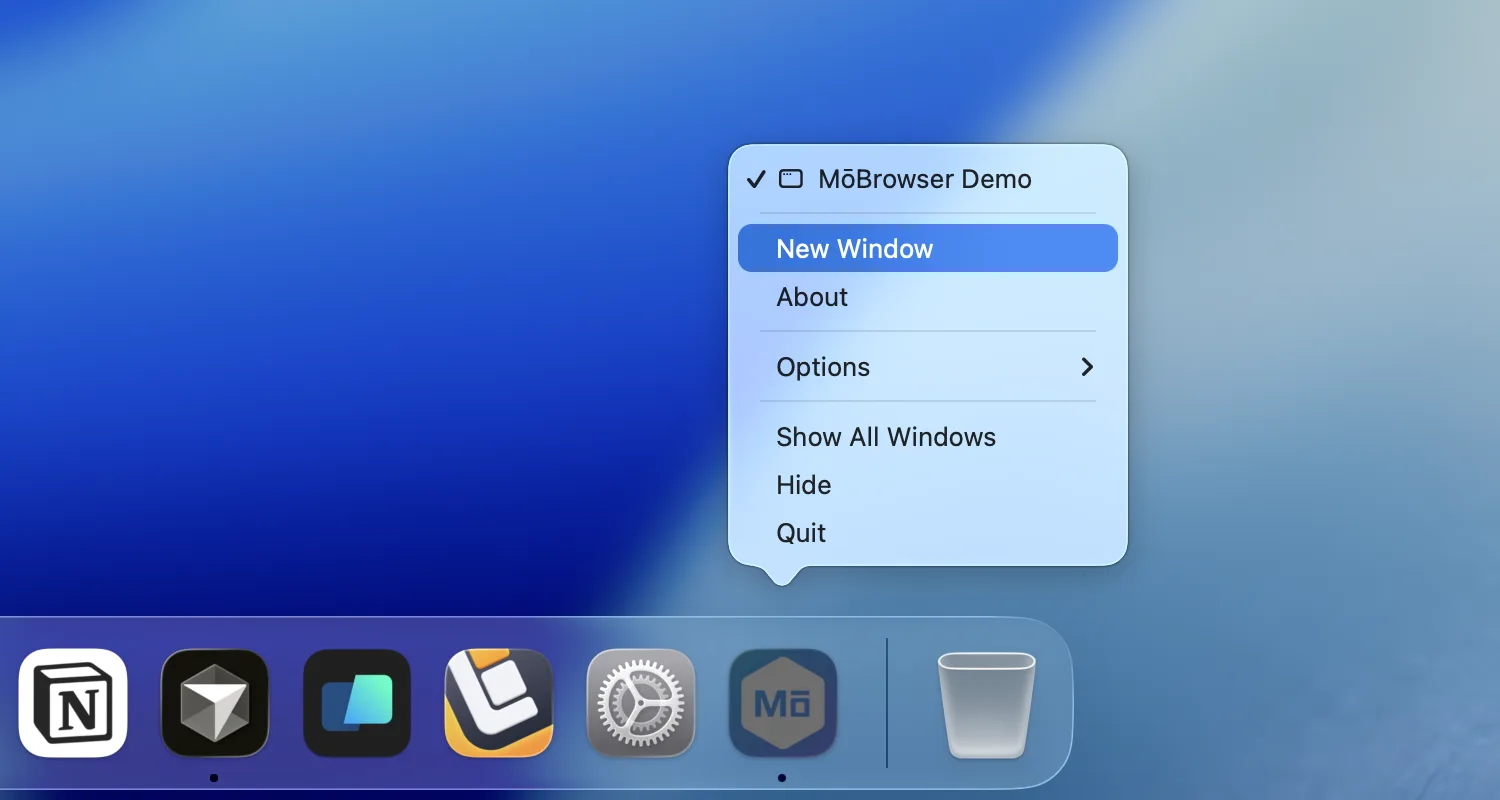
The following code shows how to add a menu to the application’s Dock icon:
import { dock, Menu, MenuItem } from '@mobrowser/api';

dock.setMenu(new Menu({
  items: [
    new MenuItem({
      id: 'newWindow',
      label: 'New Window',
      action: () => {}
    }),
    new MenuItem({
      id: 'about',
      label: 'About',
      action: () => {}
    }),
  ]
}))
Learn more about how to work with the application’s Dock icon in the Dock guide.
Web Workers
You can now use Web Workers in your application. This is useful when you need to perform some computationally intensive tasks in the background, such as image processing, video encoding, cryptography, or complex mathematical calculations.
The following example shows how to use a Web Worker:
import { Worker } from 'node:worker_threads';

const worker = new Worker("absolute/path/to/worker.js");
Improvements
- Enable browser console forwarding feature from Vite 8 in the
vite.conf.tsfile in the project templates ofcreate-mobrowser-app. - Improved the app data directory safety across Windows, macOS, and Linux. MōBrowser now prevents startup if the target app data directory belongs to another application or was previously used by a newer Chromium version. In the development mode, MōBrowser appends
-devto the app data directory, preventing the usage of the same app data directory in both the development and production app builds.
Security
- Updated Node.js to version 24.11.1.
- Updated Chromium to version 147.0.7727.56.
Fixes
- Fixed the “Already Installed” warning on Windows when installing the app into a directory previously created by an application that was running in the development mode.
- Fixed a bug where manually closing a window was not removing it from the
app.windowsarray. - Fixed a bug where pressing
Ctrl+Cduringnpm run devon Windows left the application and its child processes running in the background. - Fixed a bug on macOS when centered windows with a minimum size open at the wrong height and snap back while being moved.
- Fixed a bug on Windows that prevented windows with custom draggable areas from being dragged.