MōBrowser 2.19.0
In this update, the project scaffolding tool generates a single project template with agent skills and rules for building the app with an AI coding agent. It also works with Git and offers to open the new project in a coding agent or IDE. Annotations now go straight to the coding agent, windows no longer flash white in the dark theme, and the title bar on Windows follows the app theme.
What’s new
A single project template built for coding agents
npm create mobrowser-app now generates one project: a React and TypeScript app with shadcn/ui components. It no longer asks for a frontend framework, a UI component library, or a language. You only choose the project name and whether to add a native C++ or Rust module:
npm create mobrowser-app@latest -- --name App --native rust
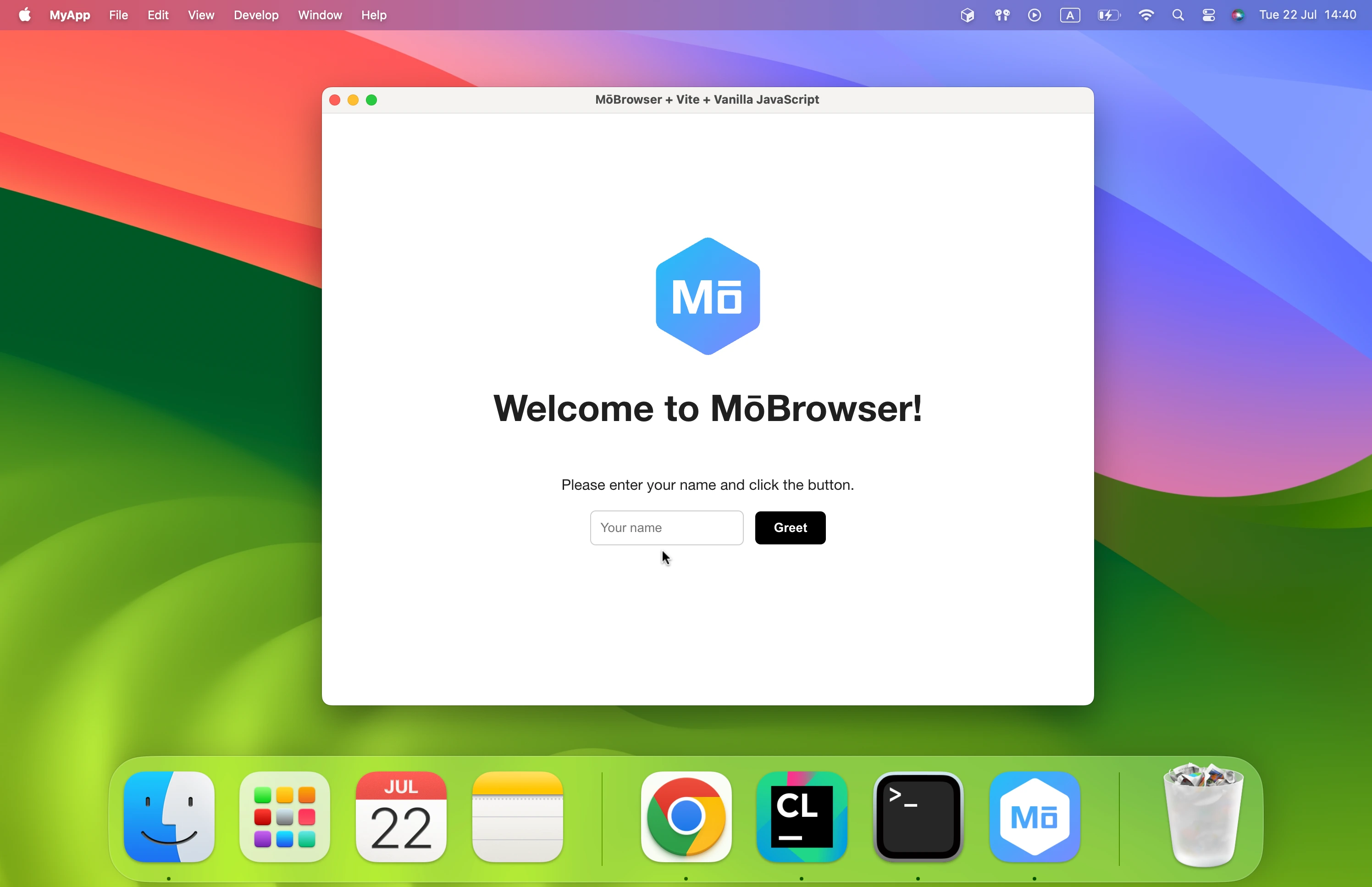
The project is a small working desktop app that you can build on instead of a demo:
- A “Hello, world!” main window with a hidden title bar and a toolbar area.
- An application menu with File, Edit, View, and Window menus (Help on Windows) that replaces the default, browser-like menu.
- A Settings window with the theme picker, launch at login, automatic update checks, and an About page with the app icon, name, version, and copyright.
- Links that open external URLs in the default browser.
- The shadcn app kit: 75 Base UI components and ready-made patterns such as pages, a router, a search field, faceted filters, a data table, a confirmation dialog, and a save bar.
- End-to-end tests for the main window and the Settings window.
The project is ready for development with an AI coding agent. AGENTS.md (mirrored by CLAUDE.md) explains how to run, inspect, and test the app, and .agents/skills/ contains skills with rules the agent follows:
shadcnbuilds the renderer UI from the app kit components. It comes with the component docs, so the agent doesn’t rely on its training data.desktop-shellshapes the native side of the app in the main process: the window, the application menu, the tray, the Dock, and the app lifecycle. It makes the agent decide them from the purpose of the app instead of keeping the defaults.mobrowser-testingmakes the agent keep the checks it makes as end-to-end tests.
Note: The --framework, --library, and --variant options have been removed, and the tool reports them as unknown options. Update scripts that create projects without prompts. Run npm create mobrowser-app@latest -- --help to see the available ones.
Git repositories in new projects
The scaffolding tool now works with Git. You can create an empty repository on GitHub, clone it, and run the tool inside the clone:
gh repo create my-app --private --clone --add-readme
cd my-app
npm create mobrowser-app@latest
? This directory is a Git repository root. Generate the project here?
❯ Yes
  No, in a subdirectory
With Yes, the app is created at the repository root and the project name defaults to the folder name, so the generated GitHub Actions workflows run without moving any files. The README of the repository is kept. Previously, the app always went into a new subdirectory, one level too deep. If the repository already has other files, the app goes into a subdirectory without asking.
When the app is created in a new directory outside a repository, the tool asks whether to initialize a Git repository and runs git init by default. The question is skipped when Git isn’t installed. Use --git yes|no and --dir . to make the same choices without prompts:
npm create mobrowser-app@latest -- --name App --dir .
Open the project in a coding agent or IDE
As the last step, the scaffolding tool lists the coding agents and IDEs installed on your machine and offers to open the new project in one of them:
? Open it in a coding agent/IDE: (Use arrow keys)
❯ ChatGPT Desktop (Codex)
  Claude Code
  Claude Desktop
  Codex
  Cursor
  VS Code
  No
Choosing Cursor or VS Code opens the project folder in it. Claude Desktop starts a new Claude Code session in the project folder, and ChatGPT Desktop starts a new Codex thread there. For Claude Code and Codex in the terminal, the tool prints the commands to start them in the project directory:
To open the project in Claude Code, run:
  cd my-app
  claude
The desktop apps of Claude and ChatGPT are detected on macOS, Windows, and Linux. A terminal agent is not listed when the tool already runs inside it.
Send annotations to the coding agent
Annotation Mode no longer needs copying and pasting when a coding agent runs the app. While the agent listens for annotations, the Copy button in the annotation bar becomes Send to agent, and the batch goes straight to the agent:
- Press Send to agent or Cmd+Enter / Ctrl+Enter. The bar shows Waiting for the agent to start.
- When the agent takes the annotations, the bar shows Agent is applying the changes.
- When the agent is done, the bar shows Agent finished and Annotation Mode turns off.
This works when the agent runs the app with npm run dev -- --automation. Agents in projects created with create-mobrowser-app start listening on their own because AGENTS.md tells them to. The agent listens with npm run mobrowser -- agent wait-annotations, takes the prompt with agent take-annotations, and reports that it’s done with agent finish-annotations.
If the agent doesn’t take the annotations within 30 seconds, the bar offers Copy instead, so you can paste the prompt into the agent’s chat.
Read more about sending annotations to the agentFixes and improvements
- Fixed windows flashing white when they open in the dark theme. Windows and their pages now use the app theme from the first frame, and pages receive it through
prefers-color-scheme. The theme set withapp.setTheme()is restored before the app’s script runs, so the app no longer needs to store it and apply it itself. The generated project now styles its dark theme withprefers-color-schemeinstead of a React theme provider. - Fixed the window title bar on Windows following the OS theme instead of the app theme. The title bar now follows
app.setTheme(), including when the theme changes at runtime. - Fixed windows on Windows shrinking slightly when they are shown and closed. An app that saves the window bounds on quit and restores them on startup no longer gets a smaller window after every restart. At fractional scale factors, restored bounds no longer grow by 1–2 pixels, and
win.boundsof a minimized window now reports its restore bounds instead of an off-screen position. - Fixed promise continuations and IPC messages being delayed by up to a second after menu item actions, global shortcuts, and notification actions.
- Reduced the size of packaged macOS applications by about 26 MB. The runtime no longer ships nine unused copies of the Velopack updater library.
- The application SBOM no longer lists build tools that don’t ship with the application, such as the SDK’s Protocol Buffers, Abseil, the Velopack CLI with its .NET packages, Rust procedural macros, and the macOS updater for the other architecture. Vulnerability scanners no longer report issues in code your users never receive.
- Improved how vulnerability scanners identify components in the application SBOM. Chromium and Node.js now carry CPEs, CPEs use the CPE 2.3 format and carry release versions, and more native and .NET dependencies are mapped to their NVD products. The application root component now has a Package URL and a supplier.