MōBrowser 2.15.0
In this update, we added target-specific SBOM generation, simplified producing application releases, improved the built-in macOS update experience, and extended window state controls. MōBrowser 2.15.0 also fixes minimum window sizes on Windows and Linux and prevents a crash when quitting during an update.
What’s new
Application SBOMs
MōBrowser applications can now generate a customer-facing, target-specific Software Bill of Materials (SBOM) in CycloneDX 1.7 JSON format:
npm run sbom
The SBOM inventories the application and its runtime components for the current platform, including Chromium, MōBrowser native and third-party dependencies, Velopack components, and installed production npm dependencies. Dependencies used exclusively for development, building, packaging, or testing are excluded.
The generated document and its SHA-256 checksum are written to build/dist/<target>/sbom/. SBOM generation is explicit: npm run build and npm run pack do not generate or replace these files.
Simplified application releases
npm run pack no longer clears earlier packages from build/dist/<platform-arch>/pack. Keeping these packages allows MōBrowser to automatically generate delta updates from previous versions and include every available version in releases.<arch>.json.
Releasing a new version locally now requires only a version bump followed by the usual build and pack commands:
npm run build && npm run pack
To protect existing artifacts, packaging stops if the same version has already been packed, a newer release exists in the directory, or the configured installer name is already in use. Pass --force to replace the artifacts produced for the current version:
npm run pack -- --force
Update progress on macOS
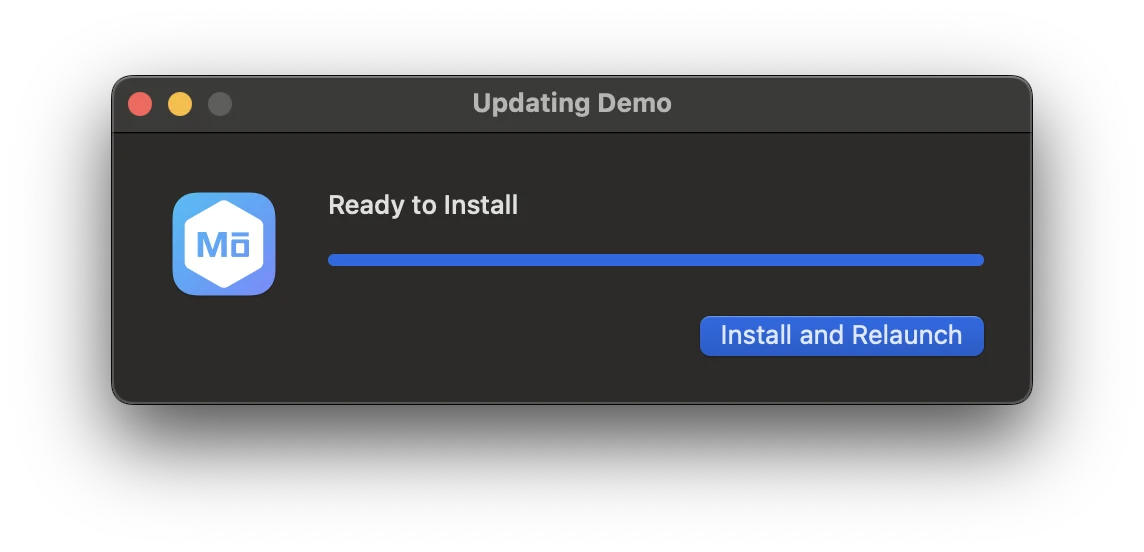
The built-in update flow for packaged macOS applications now displays a progress dialog while an update is downloaded and prepared. The dialog shows the application icon, current status, and download progress, so users can see when the update is ready. Once the download finishes, they can select Install and Relaunch to apply it.
Show a window already maximized
A window can now appear maximized on its first show() without briefly displaying at its restored size and playing a resize animation. Set the new maximized option when creating the window:
import { BrowserWindow } from '@mobrowser/api';

const win = new BrowserWindow({
  size: { width: 1024, height: 768 },
  maximized: true
})
win.show()
The window remains hidden until show() is called. Calling restore() returns it to the size or bounds supplied during construction.
Always-on-top windows on Linux
The existing always-on-top window functionality is now available on Linux, in addition to macOS and Windows. Configure it when creating a window or change it at runtime:
import { BrowserWindow } from '@mobrowser/api';

const win = new BrowserWindow({
  alwaysOnTop: true
})

win.setAlwaysOnTop(false)
Fixes and improvements
- Fixed
minimumSizeandsetMinimumSize()on Windows and Linux. Users can no longer resize a window below its configured minimum content size. - Fixed a crash that could occur when quitting a macOS application while the built-in updater was downloading an update.