MōBrowser 2.1.0
We’re thrilled to announce the release of MōBrowser 2.1.0! In this version we update Vite to version 8.0.0 in all project templates, enable browser console forwarding, extend the framework with new features and improvements.
What’s new
Desktop notifications
You can now show native desktop notifications on Windows, macOS, and Linux from the main process of your application.
The following example shows how to create and show a notification:
import { app, Notification } from '@mobrowser/api';

const notification = new Notification({
  title: 'A new update is available',
  body: 'A new update is ready. Restart the app to apply the update.',
  icon: app.getPath('appResources') + '/icon.png',
  actions: [
    {
      text: 'Restart',
      action: (_notification: Notification) => { app.restart() }
    }
  ]
})
notification.show()
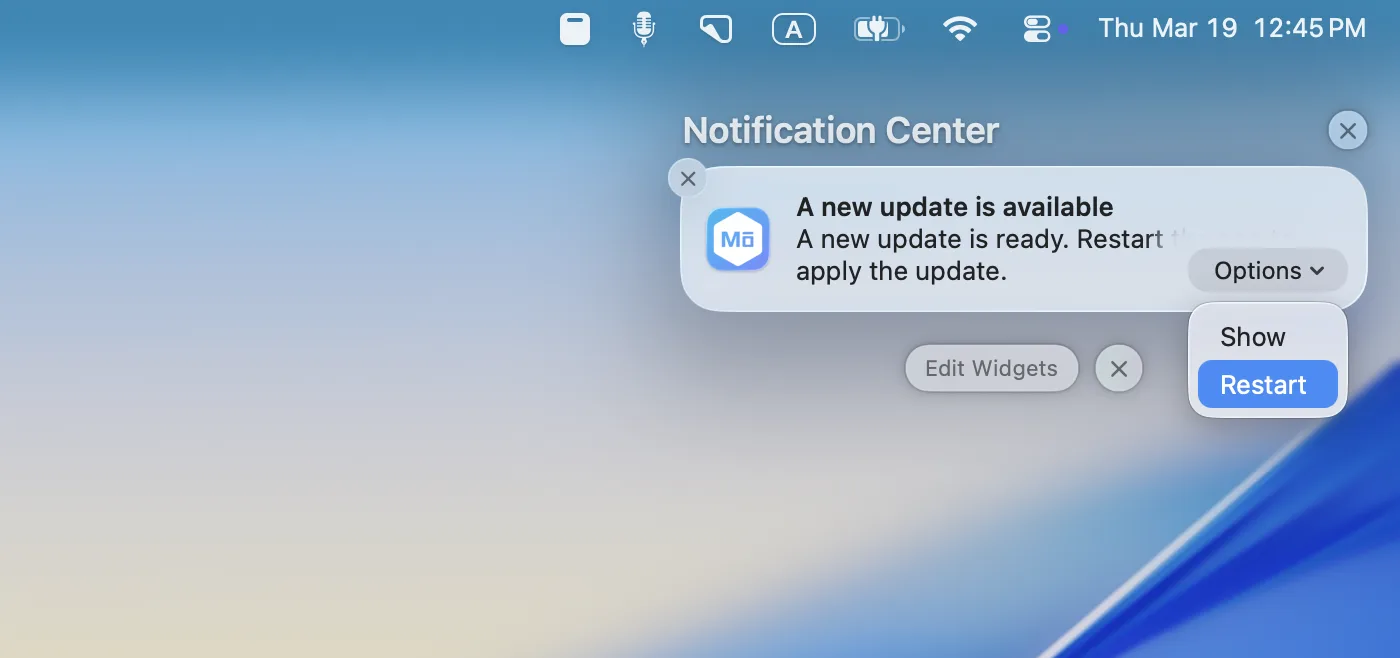
You will see the notification in the notification center on macOS, in the system tray on Windows, and in the notification area on Linux. Here’s an example of how a notification looks on macOS:
Vite 8.0.0
Vite 8.0.0 introduces several improvements that reduce the build time and allow enabling browser console forwarding.
Vite can forward browser console logs and errors to the dev server terminal. This is useful when working with coding agents, as runtime client errors become visible in the CLI output.
Now you can see browser console errors, warnings, and unhandled errors in the terminal when you run the application in the development mode.
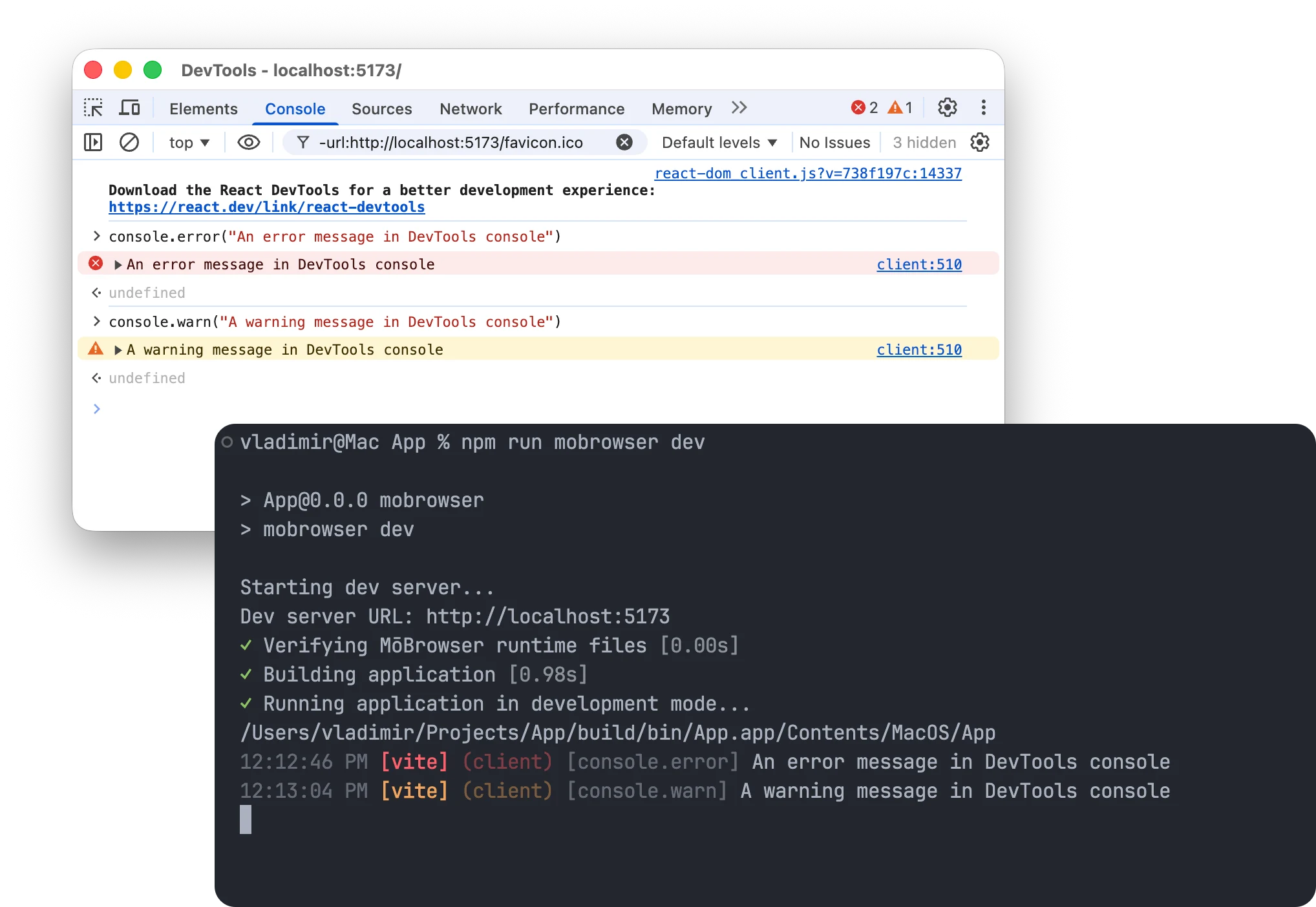
We updated Vite to version 8.0.0 in all project templates and enabled browser console forwarding in the vite.config.ts files using the server.forwardConsole option.
Features
- Added the
'activated'event to theAppclass. The event is emitted when the application is activated on macOS, for example when the user clicks on the application icon in Dock or switches to the application usingCmd+Tab. - Changed the way to create a new window. You should use
new BrowserWindow()instead ofapp.createWindow()since version. - Added the
npm create mobrowser-app@latest -- --helpflag support. - Added the dark/light/system mode switcher to the project templates.
- Allow installing dependencies and setting up everything during project generation.
Improvements
- Suppress navigation when user drags and drops a file or link into browser window.
- Do not allow running the application with Chromium switches to avoid potential security issues and application source code exposure.
- The default main menu contains different items in development and production modes. The menu items for debugging and development are available only when the application is running in the development mode.
- Disable
Cmd+Option+Cshortcut that opens DevTools Console in production mode.
Fixes
- Fixed a bug when the browser window title and titlebar are hidden by default.
- Fixed a bug when it’s possible to create menu items with no ID set.
- Fixed the location of the draggable area in the project templates for React.